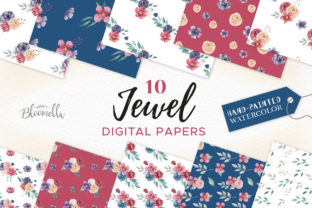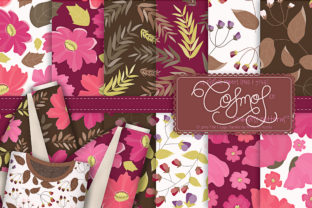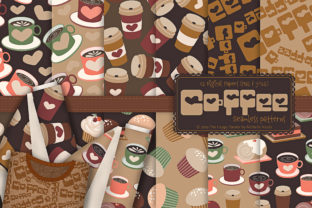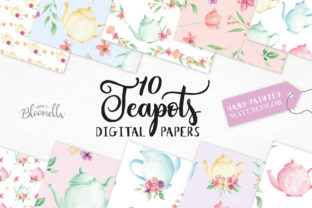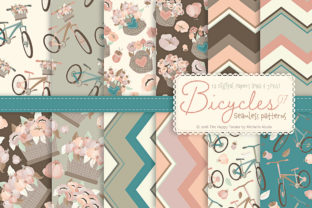
Seamless Patterns Digital Papers
Seamless Patterns Digital Papers is a curated, production-ready asset pack designed for creators who need consistent, high-fidelity pattern backgrounds without the time or technical overhead of building them from scratch. It’s not just a collection of pretty files—it’s a workflow accelerator. Whether you’re designing a product label in Adobe Illustrator, preparing a print-ready brochure in InDesign, building a brand mood board in Figma, or crafting social media templates in Canva, these patterns integrate cleanly and predictably into your existing process.
The ZIP file delivers 12 JPEGs and 12 PNGs—each 3600 × 3600 pixels (12″ × 12″ at 300 dpi), RGB color mode—and two vector source files: one native .ai file compatible with Adobe Illustrator CS6 and later, and one universal .eps file. That combination covers both raster-based workflows (e.g., photo compositing, web banners, email headers) and vector-based ones (e.g., scalable packaging mockups, logo overlays, SVG exports). The resolution and color profile are calibrated for professional output—no upsampling, no color-shift surprises at print time.
Where Seamless Patterns Digital Papers Fits in Your Workflow
This isn’t a “start here” tool—it’s a “plug-in-and-go” resource that slots into multiple phases of a project, depending on your role and objective.
Before a project begins: Use the PNGs as visual anchors during discovery or briefing stages. Drop them into client presentations to communicate tone, texture, and brand rhythm before committing to custom illustration or photography. Educators can embed them in slide decks to teach pattern theory or surface design principles. Small business owners evaluating packaging vendors can send the JPEGs alongside spec sheets—they’re instantly recognizable as print-ready assets, reducing back-and-forth about resolution or tile behavior.
During active creation: The vector files (.ai and .eps) let you scale, recolor, or reposition motifs without degradation. In Illustrator, you can drag the pattern swatch directly into your Swatches panel, then apply it to any shape—even complex paths or clipping masks. No tiling artifacts. No manual alignment. That saves 15–30 minutes per pattern application compared to stitching raster tiles manually. For freelancers juggling multiple clients, that consistency means fewer revision rounds when a client asks, “Can we try this in navy instead of teal?”—just double-click the swatch and adjust the base color.
After final delivery: Keep the original ZIP organized in your master asset library—not buried in a “completed projects” folder. Name it with version and date (e.g., Seamless-Patterns-Digital-Papers-v1-2024-07). That makes future reuse reliable: if you’re updating last year’s workshop handouts or refreshing a blog’s visual template, you’ll pull from the same calibrated source—not a resized screenshot or an outdated Dropbox link.
Integration Without Friction
Compatibility isn’t theoretical—it’s tested. The JPEGs open in virtually any image editor (Photoshop, Affinity Photo, GIMP, even Preview on macOS). The PNGs include transparency where appropriate (e.g., subtle dot grids or watermark-style repeats), making them ideal for layering over photos or gradients in Canva or Figma. The .ai file retains editable pattern definitions, so if you need to tweak spacing or rotate a motif, you’re working with live vectors—not flattened pixels. The .eps file ensures backward compatibility with older versions of CorelDRAW or pre-CC Adobe apps, and it imports cleanly into InDesign for multi-page layouts.
You don’t need to install plugins or convert formats. There’s no subscription layer, no cloud sync dependency, no license key to activate. Once downloaded, it’s yours—locally stored, offline usable, and fully editable within industry-standard software. That matters when you’re on a tight deadline, working remotely with spotty internet, or collaborating with a vendor who uses legacy tools.
Practical Implementation Tips
- Organize by use case, not file type. Create folders like /for-print (JPEGs + EPS), /for-digital (PNGs), and /source-files (.ai + original ZIP). Avoid naming files “pattern_01.jpg”—use descriptive names like geometric-herringbone-cream.jpg or organic-watercolor-wash-teal.png.
- Test tile behavior early. Before applying a pattern to a full spread in InDesign, place it on a 12″ × 12″ artboard and zoom to 400%. Look for visible seams or contrast jumps at the edges. All 24 raster files in Seamless Patterns Digital Papers were verified for true seamlessness—no guesswork required.
- Leverage metadata. Embed copyright or usage notes directly into the XMP fields of the JPEGs and PNGs using Adobe Bridge or ExifTool. That preserves attribution across teams and prevents accidental misuse downstream.
- Batch-process for variants. Need light/dark versions of the same pattern? Open the .ai file in Illustrator, select the pattern swatch, and use Edit > Edit Colors > Recolor Artwork to generate harmonized alternatives in seconds—then export new PNGs for your UI kit or presentation theme.
Quality Control and Long-Term Usability
Resolution alone doesn’t guarantee quality—consistency does. Each of the 24 raster files was rendered at exactly 3600 × 3600 pixels, with identical canvas alignment, ICC profile embedding (sRGB IEC61966-2.1), and no compression artifacts. That uniformity means you can mix and match patterns across deliverables—say, using one JPEG for a business card and another PNG for an Instagram story—without visual whiplash.
The vector files follow Adobe’s best practices for seamless pattern construction: tile boundaries are precisely aligned to pixel grids, swatch definitions use embedded artwork (not linked files), and no hidden layers or unused symbols bloat the file size. That translates to faster load times in Illustrator, smaller PDF exports from InDesign, and cleaner SVG output when you need web-optimized versions.
For educators and trainers, this consistency also supports pedagogy. You can assign exercises like “Recreate this pattern’s repeat unit in Illustrator” using the .ai file as a reference—students learn real-world constraints (e.g., how bleed affects tile edges, why RGB matters for screen vs. CMYK for print) without abstract examples.
Real-World Workflow Examples
A freelance packaging designer used the .eps file to build a mockup series for a sustainable skincare line. They applied the organic leaf pattern to jar labels, then adjusted opacity and blending mode in Photoshop to simulate matte paper stock—completing three client options in under two hours.
An online course creator embedded four PNGs into Notion as background textures for module headers. Because each was 3600 × 3600, they scaled crisply on desktop and mobile views—no blurriness, no cropping issues.
A university communications team reused the geometric JPEGs across annual report sections, internal newsletters, and Zoom virtual backgrounds. By storing the ZIP in their shared DAM (Digital Asset Management) system with clear usage guidelines, they maintained brand cohesion across eight departments—without requiring designers to recreate patterns from scratch each quarter.
None of these outcomes depend on novelty or trend-chasing. They rely on reliability: knowing that when you open the file, it works—on your machine, in your software, at your deadline.
Seamless Patterns Digital Papers doesn’t replace skill. It removes repetition. It turns “How do I make this tile correctly?” into “Which pattern best supports the message?” That shift—from technical execution to intentional design—is where real efficiency begins.